
Kpop Piano Beats - Music Game
Sonata Studio: Piano RhythmMusic
4.73.10K Reviews
- Version
- 5.10.0
- Installs
- 10.00M
- Age Rating
- Everyone 10+
Screenshots
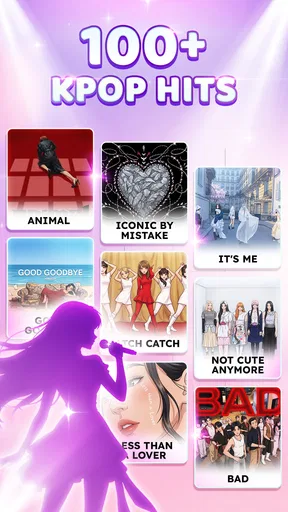

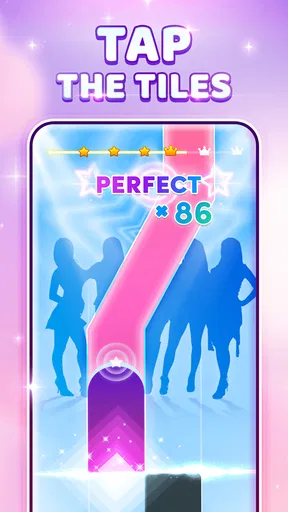
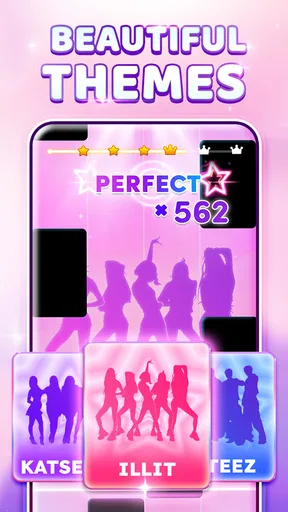
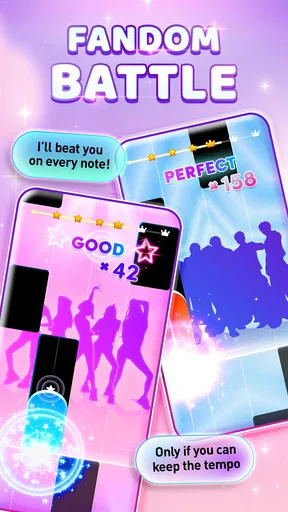
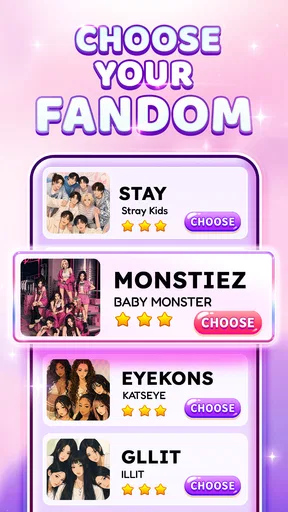
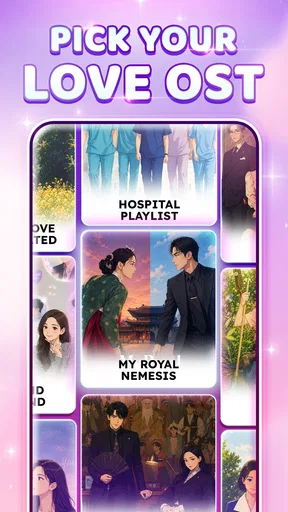

Our Review of Kpop Piano Beats - Music Game
 Analysis by Appyee
I approached Kpop Piano Beats as a quick music game rather than a serious piano-learning tool, and that distinction matters from the first tap. Its basic idea is easy to understand: notes move toward a timing area, and I tap them in rhythm while trying to keep a score going. The presentation is built around K-pop energy, so the experience feels closer to a compact rhythm challenge than to practicing an instrument.
That makes it immediately approachable. I do not need to read music, connect a keyboard, or spend time learning complicated controls before starting. The game is free, rated Everyone 10+, and comes from Sonata Studio: Piano Rhythm. It has built a large audience, with more than ten million installs and an average rating of 4.6 from roughly 462 thousand ratings. Those figures suggest that the simple tap-and-follow format has broad appeal, but they do not remove the need to decide whether this particular style of rhythm game suits me.
How the everyday play loop feels
My usual session starts with a short, low-commitment goal: play one song, improve a section, and stop when my attention drops. That works well because the controls are direct. I watch the incoming tiles, place my fingers where the game expects them, and try to maintain the rhythm instead of thinking about menus or complicated character systems.
The first few attempts are mostly about learning the visual language. A note that looks easy can still arrive at an awkward moment, especially when several tiles appear close together. I found it more useful to watch the path just ahead of the active notes than to stare at the bottom of the screen. That small change gives me time to prepare my next finger movement instead of reacting at the last instant.
For a casual player, the strongest part of the baseline workflow is its low barrier to entry. I can play while waiting for a bus, take a short break between tasks, or hand the phone to someone who has never tried a rhythm game. A realistic use case is a ten-minute evening session: I choose a familiar K-pop track, play once without worrying about the result, then repeat it while concentrating on the section where my timing broke down.
That repeatable routine is more satisfying than randomly jumping between songs. The first run tells me where the difficult pattern is. The second lets me test whether I was late, early, or simply looking at the wrong part of the screen. Even without treating the game as formal musical training, this creates a useful feedback habit: identify one mistake, replay with one adjustment, and avoid changing everything at once.
The game is not the same as playing a piano. Tapping falling tiles can improve visual timing and hand coordination, but it does not teach finger independence on real keys, chord shapes, reading notation, or expressive control. If my goal is to learn an actual K-pop arrangement, a piano-learning app or sheet-music tool is a better choice. This game is for rhythm-focused entertainment first.
What I check before chasing a high score
I recommend spending a moment checking the available settings before trying to play seriously. Rhythm games are unusually sensitive to how a phone feels in the hand. Screen brightness, accidental touches, notification interruptions, and the way I hold the device can affect performance more than I expect.
I keep the phone steady and use a grip that leaves both thumbs free. Playing while walking or holding the device with one hand makes the visual timing harder to judge, particularly when notes arrive in quick succession. A stable position also helps me notice whether misses come from poor timing or from my finger landing slightly outside the intended area.
Sound deserves attention as well. If I am in a quiet room, headphones can make the beat easier to follow, but I do not assume that louder audio automatically means better timing. I keep the volume comfortable and use the visual movement as my main reference. In a noisy environment, the opposite can happen: relying only on sound becomes unreliable, so I focus on the note path and use the music as support.
Another practical habit is to remove distractions before a serious attempt. A call, message, or floating notification can break concentration at exactly the wrong moment. I also avoid starting a difficult run when the phone is awkwardly positioned on a table. A few seconds spent arranging the device is more valuable than repeatedly blaming the game for misses caused by an unstable setup.
The current version is 5.10.0, and the game supports devices running Android 7.0 or later. That makes it accessible to many older Android phones, although compatibility alone does not guarantee an equally comfortable experience on every screen. On a smaller display, crowded patterns may feel less forgiving because my fingers cover more of the play area. I would test the basic controls before committing to long sessions on an older or compact device.
One setting-related trade-off is that visual comfort and competitive focus are not always the same thing. A brighter display may make tiles easier to distinguish, while a dimmer screen may be more comfortable during a late-night session. I adjust this outside the game when necessary rather than forcing myself to play through eye strain. If I am tired, I treat the session as casual practice instead of expecting a personal best.
Turning simple taps into faster, cleaner patterns
When the early songs become familiar, the challenge changes. I am no longer learning what each note means; I am trying to reduce hesitation. The most useful improvement is to stop following every tile as an isolated event. I look for groups and prepare my hand for the shape of the next sequence.
For example, if several notes move in a consistent direction, I try to keep my eyes slightly ahead of the note I am about to tap. This does not mean guessing. It means using the visible pattern to prepare the next movement while my current tap is still happening. The result is less frantic than jumping my attention from one tile to the next.
I also avoid changing finger placement randomly after every miss. Instead, I choose a repeatable position for my thumbs and keep it through the song. That gives me a stable reference point. If I move my hands after every mistake, I cannot tell whether the problem was timing, positioning, or a difficult sequence. Consistency makes each replay more informative.
A useful practice method is to divide a song into three mental stages. At the beginning, I settle into the beat and avoid rushing. In the middle, I watch for the pattern that usually causes trouble. Near the end, I protect the rhythm rather than taking unnecessary risks for a slightly higher score. This approach is especially helpful when fatigue makes me tap ahead of the music.
Experienced rhythm-game players often want to restart immediately after a bad opening. I understand the temptation, but I get more value from finishing some imperfect runs. Completing the song shows me whether the later sections are actually harder or whether I am wasting time trying to perfect the opening. It also builds endurance, which matters when a sequence is manageable alone but tiring when it arrives after several minutes of concentration.
Another non-obvious trade-off is the difference between playing for completion and playing for score. If I am simply enjoying a favorite track, I accept a few misses and keep the music moving. If I am chasing a better result, I repeat the same song and focus on one section at a time. Mixing those goals in the same attempt can be frustrating: I may restart too often when I should be learning, or play too casually when I actually want precision.
I would not describe this as a shortcut-heavy game where menus transform the experience. The biggest gains come from repeatable habits: stable hand placement, looking slightly ahead, managing distractions, and replaying with a specific correction. That is good news for players who enjoy improving through practice, but it may disappoint anyone expecting a large collection of advanced controls or deep customization.
Where the difficulty and design reach their limits
The straightforward design is both the reason I can recommend this game casually and the reason I would not call it a complete music platform. Its focus is narrow: tap in time, protect the run, and improve the result. Players who want story progression, character building, competitive leagues, or a detailed practice laboratory may find the experience lighter than expected.
The K-pop theme gives the game its identity, but music preference will strongly affect how long I stay engaged. If the available songs do not match my taste, the mechanics alone may not be enough to keep me playing. A broader rhythm game with a different music library could be a better alternative for someone who cares more about variety than this specific style.
There is also a ceiling to what tapping tiles can teach. I can become better at anticipating visual patterns and coordinating my fingers, but I am not developing the touch, dynamics, or hand posture required for piano performance. Someone choosing between this and a structured piano course should be clear about the goal. This is a game that borrows the look and timing of piano play, not a replacement for lessons.
Screen size and touch response can become meaningful limitations at higher difficulty. A player with a large, responsive phone may feel more comfortable than someone using a small or aging device. I would not judge my ability from one frustrating session until I had checked my grip, cleaned the screen, and tried a calmer environment. At the same time, if misses continue only because the device feels cramped, switching to a more suitable phone or a less demanding rhythm game is sensible.
The free price is a major advantage for trying it without a financial commitment. It also means I can use it as a quick experiment: install it, play enough to understand the rhythm, and decide whether the K-pop presentation and tap timing hold my attention. I would not recommend choosing it solely because it is free, though. The right question is whether I enjoy repeating songs to improve timing, because that is where the lasting value comes from.
The age rating of Everyone 10+ makes it suitable for a broad audience, but younger players may still benefit from sensible screen-time limits. Rhythm games encourage “one more attempt” thinking, especially after a near-success. I find it healthier to set a short session goal before starting, such as practicing one track or improving one troublesome passage, rather than continuing indefinitely because the last result was almost better.
Who should play it and who should choose something else
I would recommend Kpop Piano Beats to someone who likes K-pop, enjoys quick reflex challenges, and wants a game that can be understood in minutes. It is also a good fit for people who prefer improvement through repetition rather than complicated progression systems. A newcomer can start casually, while a more experienced rhythm player can still work on anticipation and consistency.
It suits short breaks particularly well. I can play a single song without needing to remember a long story or rebuild a strategy. That makes it easier to return to than a large role-playing game, and more active than simply listening to a playlist. The best everyday routine is brief and focused: choose one track, play once to warm up, replay while correcting one mistake, and stop before concentration turns into frustration.
I would steer a serious piano learner toward a dedicated instructional app instead. I would also suggest a broader music game to someone who wants many genres, deeper progression, or more ways to customize play. Players who dislike repeating the same pattern to improve may find the central loop too narrow, even if they enjoy the first few rounds.
Compared with a traditional rhythm game, this one feels more immediately tied to piano-style tapping and K-pop presentation. Compared with a piano simulator, it is faster and more game-like, but much less useful for learning real technique. Compared with simply listening to K-pop, it asks me to participate and rewards timing, although it cannot replace the relaxed experience of music playback.
My verdict after building a repeatable routine
My opinion is positive, with a clear boundary. This is an enjoyable free music game when I treat it as a focused rhythm challenge rather than a piano course. Its strongest qualities are the accessible controls, the K-pop-centered identity, and the way a short session can still feel purposeful when I replay with a specific goal.
The game works best when I combine simple preparation with disciplined play: check the phone position, reduce interruptions, keep my fingers consistent, watch slightly ahead, and separate casual enjoyment from score chasing. Those habits make the experience feel more controlled without pretending that it has a deep hidden system.
Sonata Studio: Piano Rhythm has made a game that is easy to pick up and capable of offering extra satisfaction to players willing to practice. It is not the right choice for learning piano technique or for anyone seeking a large, feature-heavy music platform. For a K-pop fan who wants quick sessions, visible timing challenges, and a reason to replay a song, however, I think it is worth trying.
After its release on Aug 30, 2023, it has grown into a well-established option in this small niche, and the roughly 2.9 thousand written reviews add context beyond its broad rating count. My final recommendation is simple: start with a relaxed session, test whether the visual timing feels comfortable on your phone, and then decide whether improving one pattern at a time is the kind of challenge you enjoy. If it is, Kpop Piano Beats can become a surprisingly effective little break in the day.
Privacy and Permissions
See what permissions an app requests and how it handles your data.
- Wi-Fi connection information
- view Wi-Fi connections
- Other
- view network connections, full network access, change your audio settings, control vibration, prevent device from sleeping
Verdict
Strengths of Kpop Piano Beats - Music Game
- Simple tap controls make it easy for beginners to start playing.
- Includes popular K-pop-inspired tracks for fans of the genre.
- Short rounds are convenient for quick gaming sessions.
- Increasing speed provides a satisfying challenge as skills improve.
- Bright visuals and rhythmic effects make gameplay feel energetic.
Limitations of Kpop Piano Beats - Music Game
- Some songs or features may require in-app purchases to unlock.
- Fast sections can become difficult on smaller phone screens.
- Gameplay may feel repetitive after extended sessions.
- Ads can interrupt the experience, depending on the version.
- Requires precise timing, which may frustrate casual players.
Similar Picks in This Category
View All
Tiles Hop Music & Ball Game
AMANOTES PTE. LTD.4.3

Magic Tiles 3™ - Piano Game
AMANOTES PTE. LTD.4.6

Real Piano
Bilkon3.7

Piano Game: Classic Music Song
Dream Tiles Piano Game Studio4.0

Smash Colors: Music Ball Rush
BADSNOWBALL HONGKONG LIMITED4.2

Piano Music Go-EDM Piano Games
Joy Journey Music Games4.5
Frequently Asked Questions
What is Kpop Piano Beats - Music Game?
Kpop Piano Beats - Music Game is a rhythm-based mobile game inspired by the fast-paced piano-tile format and popular K-pop music. Players tap the correct tiles in time with each song while trying to maintain combos and improve their scores. The app is designed for short, casual sessions, although more challenging tracks can require quick reactions and consistent timing.
How do you play Kpop Piano Beats - Music Game?
Gameplay is simple to understand: black or highlighted tiles move across the screen, and you must tap them in rhythm without touching the wrong areas. As songs become faster, accuracy and concentration become increasingly important. Successful taps usually build a combo and increase your score, while missed tiles or incorrect touches can end a round or reduce your progress, depending on the selected mode.
Does Kpop Piano Beats - Music Game require an internet connection?
The basic game may allow some features to work offline, but an internet connection can be necessary for advertisements, updates, online rankings, account-related functions, or newly available songs. Availability may also depend on the version installed and the developer’s current settings. For the smoothest experience, it is recommended to launch the app online at least once and check which content remains accessible without a connection.
Is Kpop Piano Beats - Music Game free to download and play?
Kpop Piano Beats - Music Game is generally offered as a free download, allowing users to try its main rhythm gameplay without paying upfront. However, free mobile games commonly include advertising, optional purchases, or limitations on certain songs and features. Before downloading, review the store listing for current information about in-app purchases, advertising practices, supported devices, and any restrictions that may affect your experience.
Is Kpop Piano Beats - Music Game suitable for all K-pop fans and devices?
The game can be enjoyable for casual players and K-pop fans who like quick reflex challenges, but it may not include every favorite artist or song. Music selection and licensing can vary by region and app version. Performance also depends on your phone or tablet, especially when playing fast tracks. Check the required operating-system version, available storage, and recent user feedback before installing.
Play our best games!


